
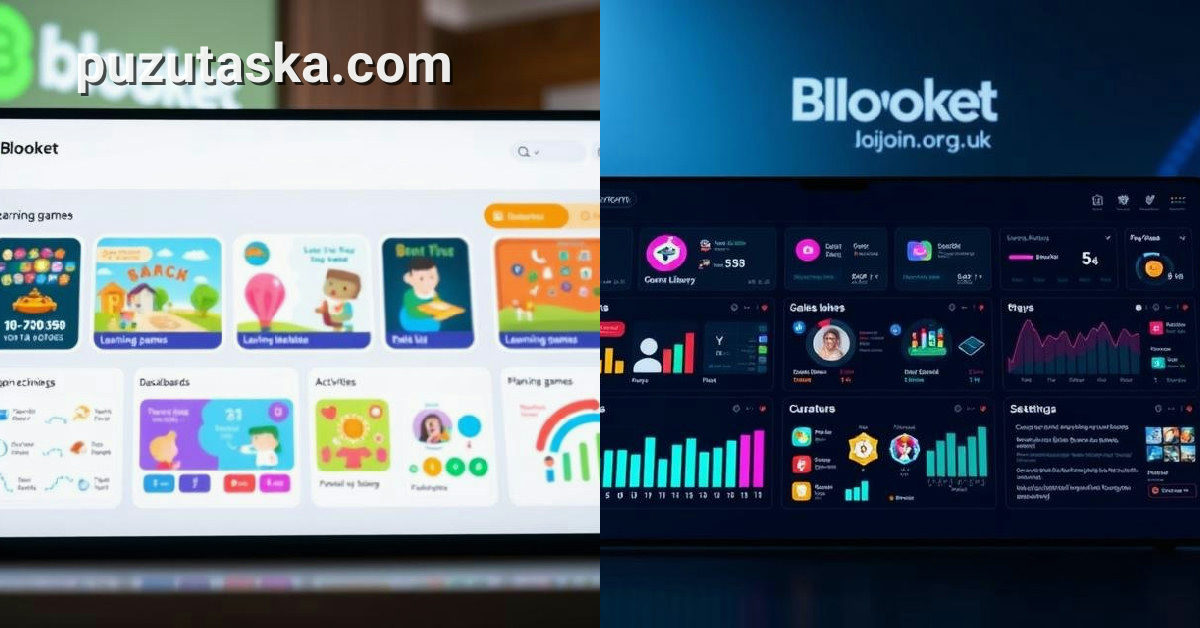
If you’re a teacher juggling question sets, live games, and student reports, the Blooket dashboard is your command center. Launched in 2020 by American brothers Tom and Ben Stewart, this web interface has become a staple in K-12 classrooms, growing from about 8 million to 50 million monthly users during the remote-learning surge. A companion read that pairs well with this one is Blooket Dashboard: A Teacher's Guide to the 2025 Hub
How the Blooket Dashboard Compares to Other Classroom Game Platforms
Unlike Kahoot! or Quizizz, which focus on live, synchronous play, Blooket’s dashboard emphasizes asynchronous assignments and a wider variety of game modes. Teachers can assign games as homework with due dates, and students can complete them at their own pace. The dashboard’s “My Sets” section allows for creating, importing, or editing flashcards, a flexibility that many educators find more intuitive than competitors’ rigid quiz builders.
One standout difference is the game mode selection. From the dashboard, teachers can launch Gold Quest, Tower Defense, or Tower of Doom, each offering a different strategic layer beyond simple question-and-answer. This variety keeps students engaged, but it also means the dashboard must present clear options without overwhelming the user. The interface achieves this with a clean grid layout, though some teachers report a learning curve when first navigating the many settings.
Another point of comparison is data reporting. While Kahoot! provides basic results, Blooket’s dashboard offers question-level insights and class averages, helping teachers pinpoint weak areas. This depth is gated behind the Plus subscription, whereas free accounts see only summary data. For schools on tight budgets, that limitation can be a deciding factor.
What’s New in 2024: Recent Updates and the Road Ahead
The company, headquartered in Washington, USA, continues to roll out new games and analytics features. Recent updates have focused on refining the dashboard’s user experience, including a redesigned navigation bar and more granular report filters.
Looking forward, Blooket has hinted at deeper integration with learning management systems beyond Google Classroom, which is already supported. Teachers can sync classes and rosters directly from the dashboard settings, saving time on manual entry. The platform is also exploring AI-assisted question generation, though no official release date has been announced.
Privacy remains a hot topic. School districts have scrutinized how Blooket handles data for minor students, leading to updated privacy policies and clearer consent mechanisms. The dashboard now includes a dedicated privacy center where administrators can review data practices. These changes reflect a broader industry trend toward transparency, but they also mean teachers must stay informed about what data is collected and how it’s used.
Expert Insights: How Teachers Really Use the Dashboard
According to educational technology consultant Sarah Mitchell, who has trained over 200 schools on Blooket, the dashboard’s strength lies in its flexibility. “Teachers don’t just use it for review; they use it for formative assessment and even homework,” she says. Mitchell notes that the live game reports are particularly valuable for identifying struggling students in real time, allowing for immediate intervention.
However, she cautions against over-reliance on gamified metrics. “The dashboard shows accuracy and scores, but it doesn’t capture the full picture of student understanding,” Mitchell explains. “It’s a tool, not a replacement for teacher judgment.” This perspective aligns with research suggesting that game-based learning works best when integrated with traditional instruction.
Another insider, a middle school science teacher who requested anonymity, praised the dashboard’s ease of use. “I can set up a homework assignment in under two minutes,” she says. “The students love the game modes, and I love the automatic grading.” Yet she also mentioned that the free version’s limited reports can be frustrating, pushing her to consider the paid plan.
The Origin Story: From Startup to Classroom Staple
Blooket was founded in 2020 by Tom and Ben Stewart, two brothers from Washington state who saw a gap in the educational gaming market. Their initial idea was simple: make quiz-based learning more engaging by wrapping it in game mechanics. The first version of the dashboard launched with just a handful of game modes, but the response was immediate.
By the end of 2020, the platform had exploded in popularity, driven by the shift to remote learning. Schools across the US adopted Blooket as a way to keep students engaged during Zoom classes. The dashboard’s ability to host live games with a six-digit code made it easy for teachers to launch a session on the fly, and students could join from any device. Public records covering this story are gathered in Blooket
The Stewart brothers continued to iterate, adding new game modes and improving the dashboard’s analytics. In 2021, they introduced the Homework tab, which allowed for asynchronous play—a feature that proved essential for hybrid classrooms. Today, Blooket’s dashboard is a far cry from its early days, but the core mission remains unchanged: to make learning fun and data-driven.
Frequently Asked Questions
What is the Blooket dashboard used for?
The Blooket dashboard is the main web interface where teachers manage question sets, host live games, and view student performance data. It also allows students to access assignments and join games using a six-digit code.
Is Blooket still free for teachers in 2024?
Yes, Blooket offers a free plan that includes basic features like creating and hosting games. However, advanced reports and some game modes require a Plus subscription, which costs a monthly fee.
Who created Blooket and when?
Blooket was created by American brothers Tom and Ben Stewart and launched in 2020. They developed the platform to make quiz-based learning more engaging through game mechanics.
How can I import questions into the Blooket dashboard?
To import questions, go to the “My Sets” section in the dashboard, click “Create Set,” and choose the import option. You can upload a spreadsheet or copy-paste questions from another source.
Where is Blooket headquartered?
Blooket is headquartered in Washington, USA. The company continues to develop and update the dashboard with new features and games.
