
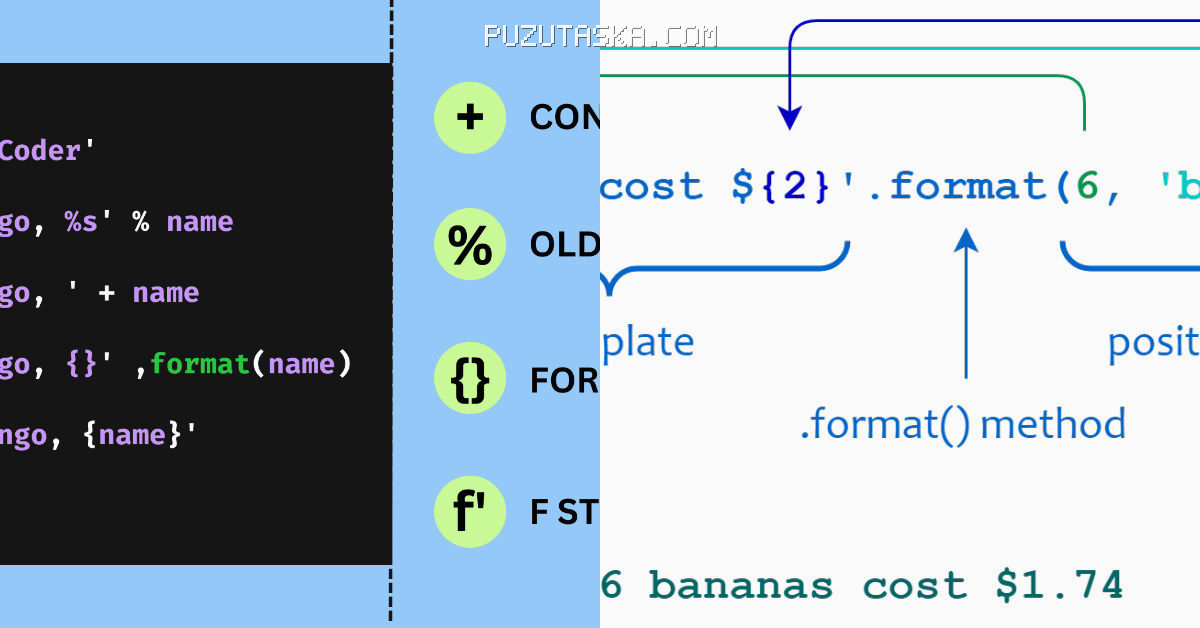
Many assume that Python’s string formatting has always been the same, but the reality is more layered. The earliest method, %-formatting, dates back to the language’s initial releases, while the now-recommended f-strings only appeared in 2016. This article traces that evolution, clarifies common misconceptions, and explains the terminology that often confuses newcomers. Another piece worth your time is How to Use pyenv install to Manage Python Versions, which touches on a related question
What Most People Get Wrong About Python’s Formatting Methods
A frequent misconception is that %-formatting is obsolete or unsafe. In truth, it remains fully supported, though it is not recommended for new code. The % operator, borrowed from C’s printf, has been part of Python since version 1.x, making it the oldest formatting tool. Public records covering this story are gathered in Python String format () Method – W3Schools
Another error is assuming that str.format and f-strings are interchangeable in every context. They are not. The.format method, introduced in Python 2.6 in 2008 via PEP 3101, uses curly braces as replacement fields. F-strings, added in Python 3.6 through PEP 498, evaluate expressions at runtime, which makes them faster in most cases. That speed difference is measurable but rarely decisive for small scripts.
Some also believe that f-strings cannot handle complex expressions. That was true before Python 3.12, but PEP 701 rewrote the grammar in 2023, allowing arbitrary expressions and even nested quotes. This change removed many earlier limitations.
Format Specifiers and Template Strings: Terms Explained
The format specification mini-language is a core part of both.format and f-strings. It controls alignment, padding, width, and precision using a colon after the field name. For example, f”{value:>10}” right-aligns the value in a 10-character field.
Template strings, introduced in Python 2.4 via PEP 292, use a different syntax with dollar signs, like $name. They are simpler and safer for user-supplied format strings because they do not interpret arbitrary expressions. This makes them a good choice for configuration files or messages that non-programmers might edit. If you want to go deeper, 0297xud8 Python Code Error: What It Is and How to Fix It covers an adjacent angle worth reading
The term “replacement field” refers to the curly-brace placeholders in.format. These fields accept positional arguments, like {0}, or keyword arguments, like {name}. This flexibility was a major improvement over %-formatting, which relied on a single % followed by a conversion type.
What Experienced Developers Recommend and Why
Guido van Rossum, Python’s creator, has long advocated for a single, obvious way to do things. That philosophy underlies the shift toward f-strings. In the official Python documentation, f-strings are now described as the preferred method for new code, a stance echoed by many core contributors.
One insider tip is the debugging specifier added in Python 3.8. Writing f”{variable=}” prints both the variable name and its value, which saves time during development. This feature, though small, shows how f-strings continue to evolve.
We should note that.format still shines in scenarios where the format string is stored separately from the code, such as in translation files. F-strings, by contrast, are evaluated immediately, so they cannot be deferred. That distinction matters for internationalization.
What Is Confirmed and What Remains Unverified
The str.format method’s introduction in Python 2.6.
Claims about performance differences between methods are supported by benchmarks, but the numbers vary by Python version and workload. No single figure is universally accepted. Similarly, the assertion that f-strings are always faster is an oversimplification; in some edge cases,.format can be comparable.
What remains unverified is any suggestion that %-formatting will be removed. The Python developers have repeatedly stated that backward compatibility is a priority, so legacy code is safe for the foreseeable future.
| Method | Introduced | Syntax Example |
|---|---|---|
| %-formatting | Python 1.x | “%s” % value |
| str.format | Python 2.6 (2008) | “{}”.format(value) |
| f-strings | Python 3.6 (2016) | f”{value}” |
| Template strings | Python 2.4 (2004) | Template(“$name”) |
Frequently Asked Questions
Who introduced f-strings in Python?
F-strings were proposed by Eric V. Smith in PEP 498, which was accepted for Python 3.6. Smith is a long-time Python developer who also contributed to other core features. The implementation was completed in 2016.
What is a good alternative to f-strings for user-supplied format strings?
Template strings from the string module are a safer alternative because they do not evaluate arbitrary expressions. This reduces security risks when the format string comes from untrusted input, such as a web form or configuration file.
When did Python 3.12 change f-string capabilities?
Python 3.12, released in October 2023, implemented PEP 701, which allowed f-strings to contain the same type of quotes as the outer string and to nest expressions more freely. This was a significant grammar update.
Why did Python keep %-formatting if f-strings are better?
Backward compatibility is a core principle of Python’s development. Removing %-formatting would break countless existing scripts and libraries. The developers prefer to add new features while preserving old ones, even if they are no longer recommended.
What is Python string format best known for in modern development?
It is best known for its flexibility and readability, especially with f-strings. The ability to embed expressions directly in strings has made code cleaner and more maintainable, which is why it is now the standard in most Python projects.
